


Five Updates That Reshape the Android Experience
In a major product announcement, Google laid out a series of enhancements designed to push Android further into the realm of personalized, AI-driven functionality. The updates span health comfort, accessibility, item tracking, and messaging customization — reflecting a strategy that blends incremental improvements with bold, first-of-their-kind features.
Motion Assist: Easing Discomfort on the Move
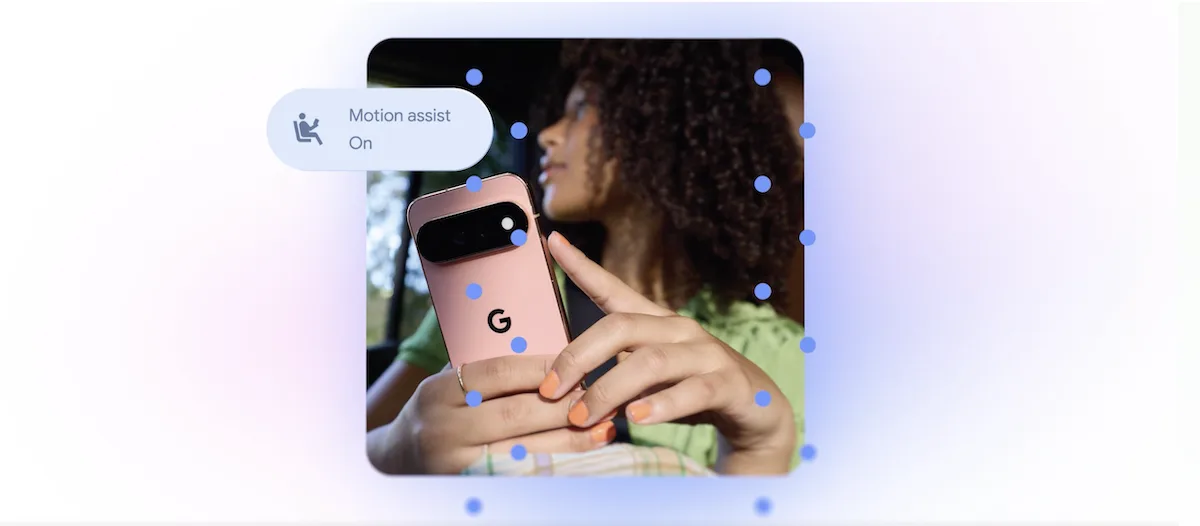
One of the headline features is Motion Assist, which addresses a common problem: the disorienting gap between what your eyes see on a screen and what your body feels during car rides. The tool overlays a dynamic bubble on the display that shifts in tandem with the vehicle’s movement, helping the brain reconcile visual and physical cues. Users can activate it automatically, pin it to Quick Settings, and fine-tune the bubble’s appearance — shape, color, and transparency are all adjustable. The feature is available on devices running Android 17.
While this concept echoes Apple’s Vehicle Motion Cues, introduced on iPhone in 2024, Google’s implementation takes a distinctly different visual approach with a centered bubble rather than peripheral animated dots.
Guided Vision: A New Frontier for Accessibility
Google is also debuting Guided Vision, a purpose-built tool for blind and low-vision users. By harnessing the phone’s camera alongside Gemini, the feature can read fine print on product labels, decipher menus in dimly lit restaurants, and identify household objects. It even offers real-time voice prompts — nudging users to reposition the camera, pan wider, or center an item — making it a genuinely hands-free navigational aid. Guided Vision will reach devices on Android 9 and later in markets where Gemini services are operational.
Smarter Item Tracking with Gemini and Find Hub
Another practical addition lets users leverage Gemini through Find Hub to log where they’ve stored important belongings. A traveler might tell the assistant that their passport sits in a bedside drawer, and the note gets saved for later retrieval. Attaching a photo to each entry makes items instantly recognizable — a small touch that could save significant frustration during frantic searches.
Google Messages Gets a Makeover
Google Messages is undergoing two notable upgrades. First, a new Google Keep integration allows users to share and collaboratively edit grocery lists, travel notes, and other shared documents without leaving a conversation thread. Second, a suite of personalization options lets users customize individual chat threads with unique backgrounds, photos, and color schemes — with text bubbles automatically adapting to match the chosen theme. A comparable background customization option arrived on Apple’s Messages platform last year, putting pressure on Google to close the experience gap.
What This Means for Users
Taken together, these five updates reveal Google’s ambition to position Android not just as a mobile operating system but as an intelligently adaptive companion. The emphasis on accessibility and comfort features suggests a maturing approach to UX design that goes beyond flashy specs. As Gemini becomes more deeply woven into core functions, the line between a smartphone and a proactive assistant continues to blur — and competitors will likely need to respond in kind.